
Built for Growing Businesses
One Portal to Manage Sales, Payments, and Services
Manage your business anywhere and anytime in a one-stop portal. Merchant Portal provides the sales-related data you need to better manage and track your business and monitor live sales.
Scale Your Business Today
Contact Sales
Register Now

Features
Complete Toolkit in
One Place.
Complete Toolkit
in One Place.
Dashboard & Analytics
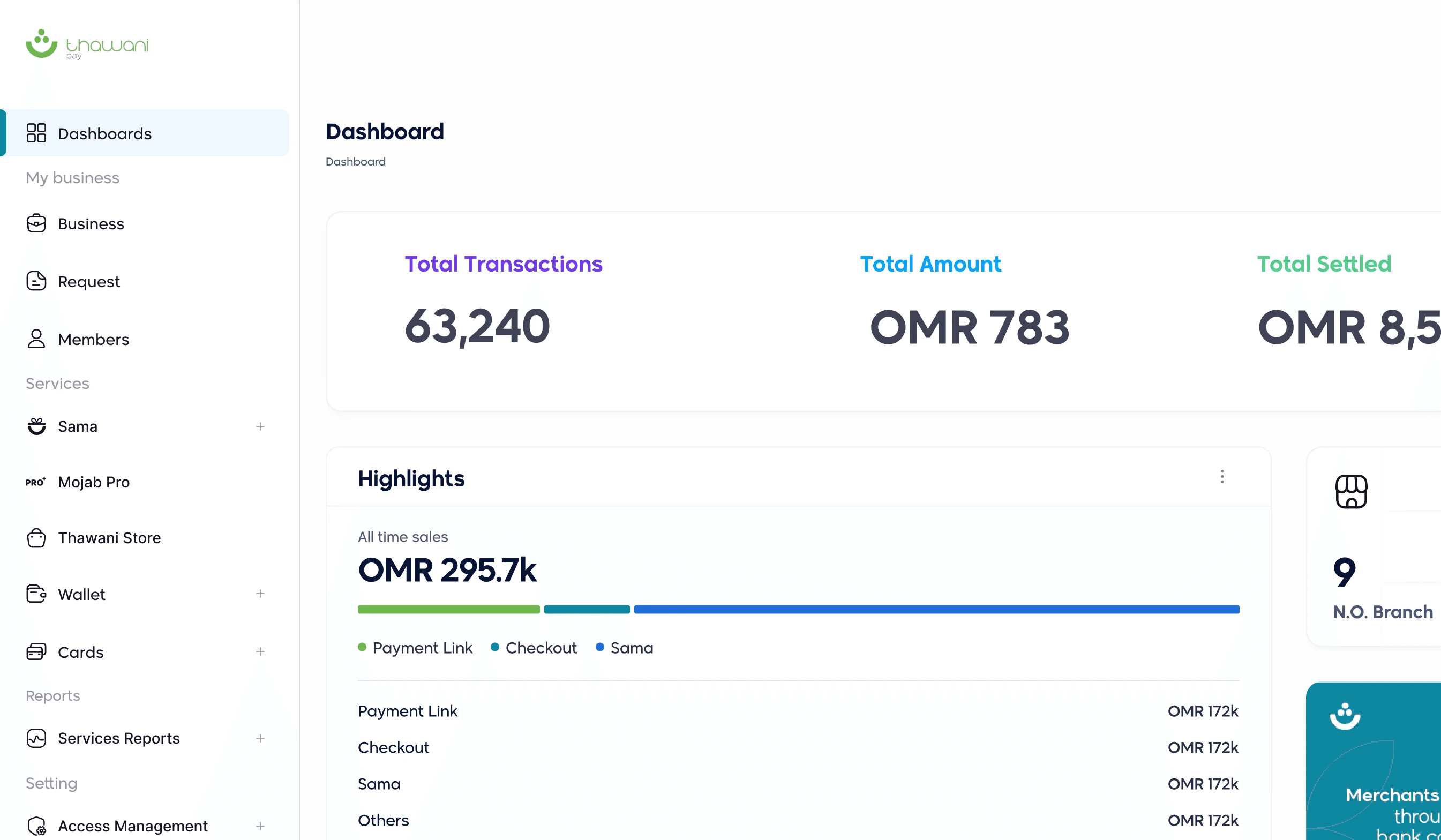
Get a real-time overview of total transactions, earnings, refunds, and settlements.
Corporate Cards
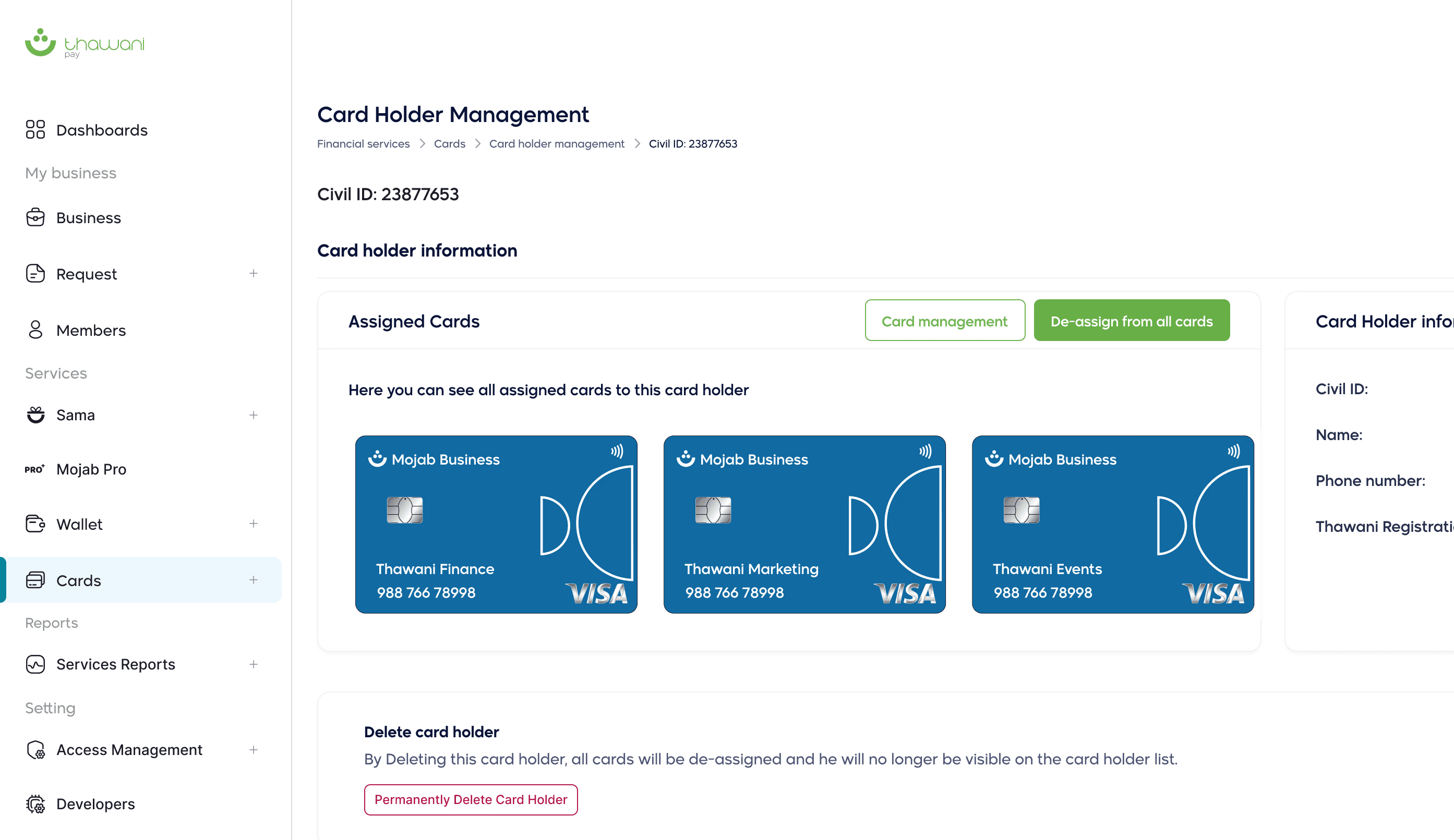
Issue controllable debit cards to your team. Set permissions, spending limits, PIN resets, and manage card holders with full control over each card.
Sama Offers & Loyalty
Activate exclusive offers and discounts for government and private sector employees. Register with Sama and start sending the best offers to employees and their families.
Business Management
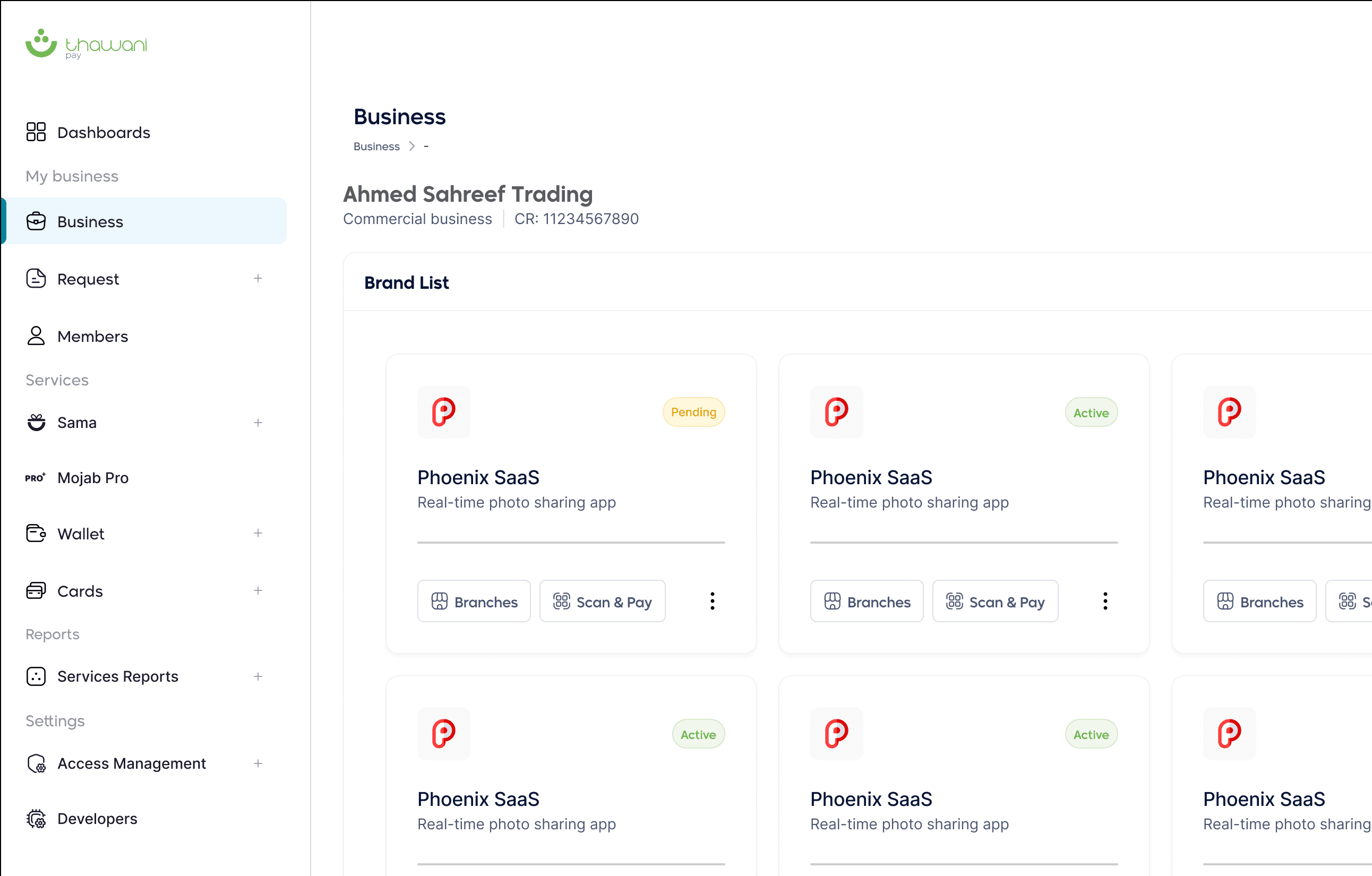
Manage branches, assign Scan & Pay, and oversee all your operations from a single dashboard with pagination for large portfolios.
Business Wallet
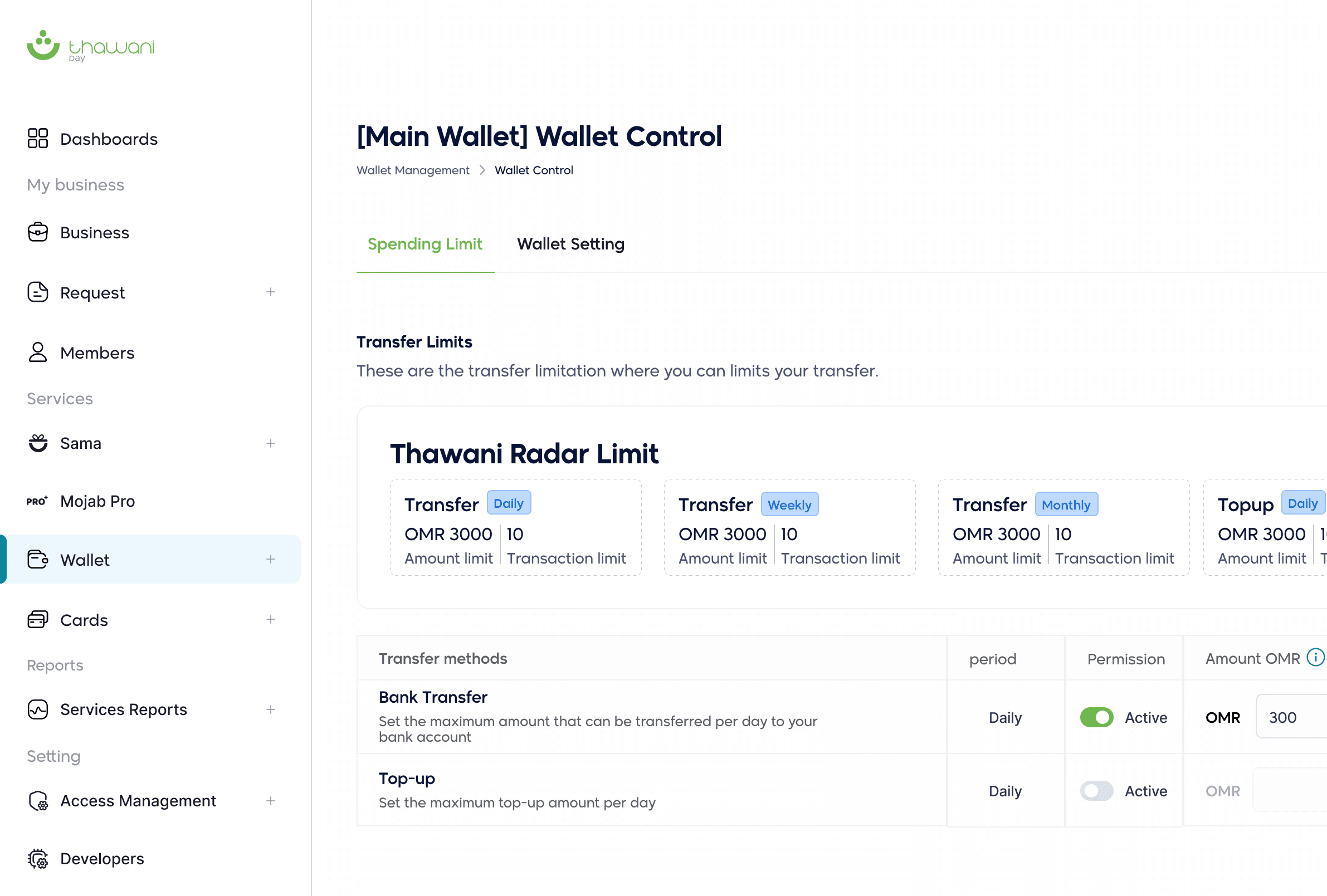
Create and manage wallets for your business. Top up, transfer funds to bank accounts, set daily and monthly spending limits, and track all wallet transactions with full transparency.
Developer Tools & APIs
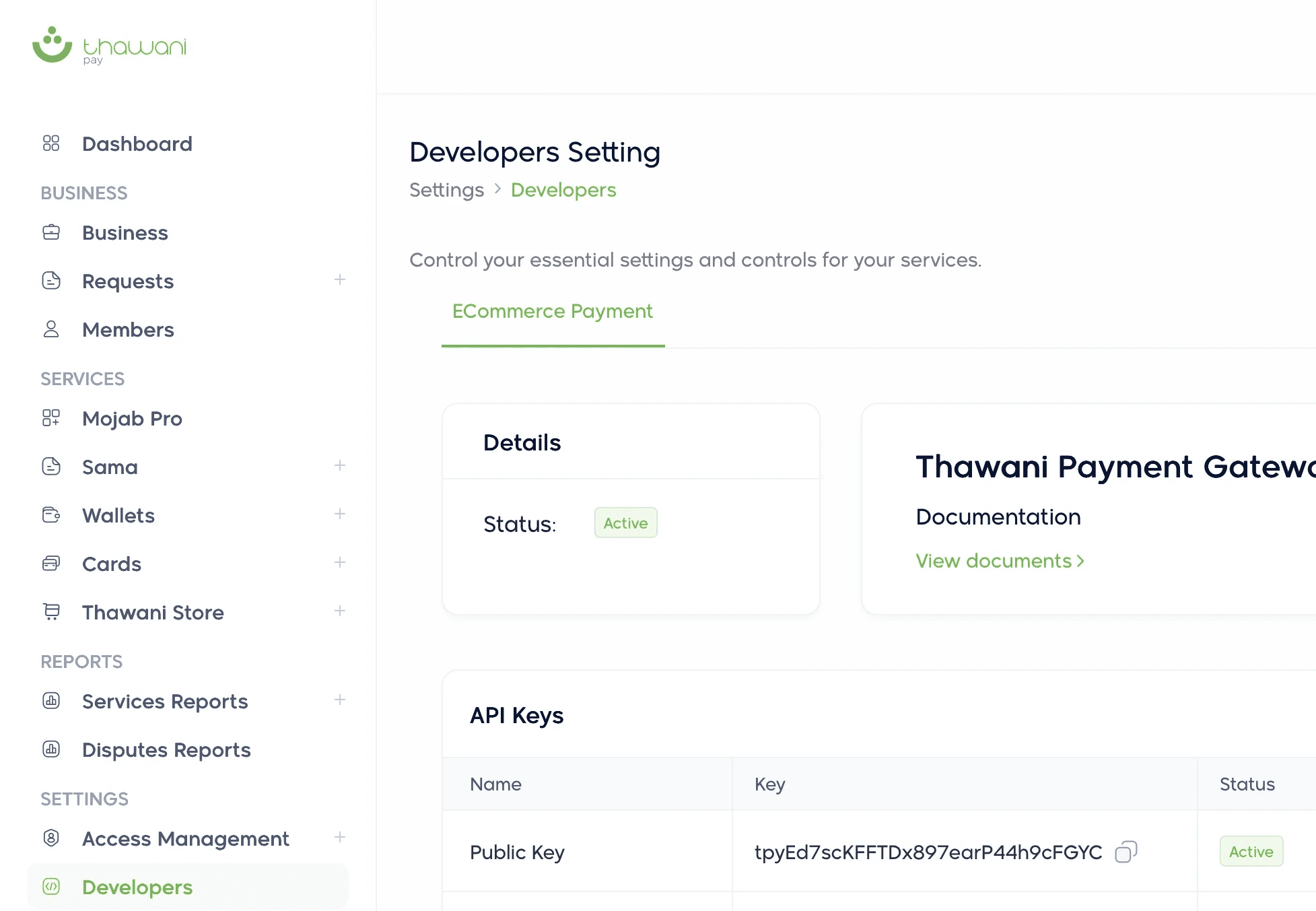
Access API keys, create webhooks, configure payment settings for Visa, Mastercard, Apple Pay & Google Pay. Full developer documentation with SDK support and sandbox testing.
Dashboard & Analytics
Get a real-time overview of total transactions, earnings, refunds, and settlements.
Business Management
Manage branches, assign Scan & Pay, and oversee all your operations from a single dashboard with pagination for large portfolios.
Corporate Cards
Issue controllable debit cards to your team. Set permissions, spending limits, PIN resets, and manage card holders with full control over each card.
Business Wallet
Create and manage wallets for your business. Top up, transfer funds to bank accounts, set daily and monthly spending limits, and track all wallet transactions with full transparency.
Sama Offers & Loyalty
Activate exclusive offers and discounts for government and private sector employees. Register with Sama and start sending the best offers to employees and their families.
Developer Tools & APIs
Access API keys, create webhooks, configure payment settings for Visa, Mastercard, Apple Pay & Google Pay. Full developer documentation with SDK support and sandbox testing.
Understand Your Sales,
and Grow Your Business,
Understand
Your Sales,
and Grow
Your Business,
The Business Portal gives you the self-serve tools and real-time data to manage payments, teams, and operations from one place.
Real-time Dashboard
Business Management
Corporate Card Management
Business Wallet & Transfers
Developer Tools & APIs
Get Started
How it Works?
How it
works?
1
Register Your Business
Create your merchant account and complete your business verification via Business Portal
1
Register Your Business
Create your merchant account and complete your business verification via Business Portal
1
Register Your Business
Create your merchant account and complete your business verification via Business Portal
2
Activate Your Services
Request activation for corporate cards, business wallet, sama offers, Thawani Pay store, and payment gateway, all from the requests section of your portal.
3
Manage & Grow
Track sales in real time, issue cards to your team, manage wallets, list products, and monitor every transaction, all from your Business Portal.
FAQ

Frequently Asked
Questions
Frequently Asked
Questions
Frequently Asked
Questions
How to register in Thawani as a business?t?
To be part of Thawani business, make sure to submit the following documents: 1. A copy of civil or resident ID. 2. Copy of Bank statement 3. Commercial Register 4. Application form 5. Agreement form
Who is eligible for Sama?
Sama is an exclusive employee loyalty program available to employees of organizations that have partnered with Thawani. If your employer has enrolled in the program, your access is automatically activated when you log into the Thawani app with your registered work credentials.
Who is eligible for Sama?
Sama is an exclusive employee loyalty program available to employees of organizations that have partnered with Thawani. If your employer has enrolled in the program, your access is automatically activated when you log into the Thawani app with your registered work credentials.
What are the benefites of being a business in Thawani?
1. Competitive service rates 2. Live monitoring for all payment transactions 3. Sending invoices directly to the user 4. Scalability under one platform
Do I need to pay to join Sama?
No. Sama is entirely free for eligible employees. Your employer covers the program as part of your benefits package. There are no membership fees, hidden charges, or subscription costs.
Do I need to pay to join Sama?
No. Sama is entirely free for eligible employees. Your employer covers the program as part of your benefits package. There are no membership fees, hidden charges, or subscription costs.
How much is the percentage per transaction?
For debits card 1.5% For credits card 2%
How do I redeem a deal?
Simply open the Thawani app, navigate to the Sama section, browse the available deals, and show the offer screen to the merchant at point of sale. No printing or code entry needed.
How do I redeem a deal?
Simply open the Thawani app, navigate to the Sama section, browse the available deals, and show the offer screen to the merchant at point of sale. No printing or code entry needed.
How would the merchant receive money from non-thawani user?
By payment link or Thawani checkout
How often are new deals added?
Our team continuously negotiates new partnerships and adds fresh deals regularly. You'll see new merchants and categories appear in the Sama section of the app throughout the year.
How often are new deals added?
Our team continuously negotiates new partnerships and adds fresh deals regularly. You'll see new merchants and categories appear in the Sama section of the app throughout the year.
What is Tajer mobile app?
Tajer app is a way of receiving payments from thawani app users. Tajer App is linked to the Tajer portal where you can track the business performance. With Tajer App you are able to send payment link for non Thawani users & Wayyak invoice for Thawani users.
What happens to my Sama access if I change jobs?
Sama access is tied to your employment with a Thawani-partnered organization. If you leave, your access will be deactivated. Should your new employer also partner with Thawani, you'll regain access automatically.
What happens to my Sama access if I change jobs?
Sama access is tied to your employment with a Thawani-partnered organization. If you leave, your access will be deactivated. Should your new employer also partner with Thawani, you'll regain access automatically.
How long does it take to deposit the money into the merchant’s bank account?
It takes 1-3 working days if the payment is made through debit cards, and 4 working days through credit cards
How long does it take to deposit the money into the merchant’s bank account?
It takes 1-3 working days if the payment is made through debit cards, and 4 working days through credit cards
How do I request a refund for the customer?
You can send the request to merchant@thawani.om with all transaction’s details such as Invoice ID and the date of the transaction .
How do I request a refund for the customer?
You can send the request to merchant@thawani.om with all transaction’s details such as Invoice ID and the date of the transaction .
What are the reasons for failed transactions?
There might be a problem in the service provider’s system or in the customer’s bank card.
What are the reasons for failed transactions?
There might be a problem in the service provider’s system or in the customer’s bank card.
How can I contact merchant support team?
You can contact merchant support via WhatsApp: 91920467 or email: merchant@thawani.om
How can I contact merchant support team?
You can contact merchant support via WhatsApp: 91920467 or email: merchant@thawani.om